Tower defense sample
samples/tower_defense is the engine's second game. The first, R-Type, is a networked
shoot'em up; this one is a single-player tower defense, made with the engine's generic
modules only (core, ecs, platform, render, audio, ui), never the shoot'em up one. It shows
that the engine knows nothing about R-Type: a different genre, built alone against the
installed engine like any other game.
Run it
Client builds compile it with the examples:
./build/client/samples/tower_defense/tower_defense
On macOS, build with the macos preset (OpenGL 4.1) and run
./build/macos/samples/tower_defense/tower_defense.
It also builds alone against an installed engine, as any game would; the
install_tower_defense test does that and runs it for 30 frames:
cmake --install build/client --prefix installed --component development
cmake -S samples/tower_defense -B build/tower_defense -DCMAKE_PREFIX_PATH=$PWD/installed
cmake --build build/tower_defense
./build/tower_defense/tower_defense
| Option | Effect |
|---|---|
--frames N |
Closes the game after N frames. |
--settings FILE |
Reads and saves the options in FILE instead of the player's settings folder. |
--metrics |
Shows the frame metrics from the start (F12 shows or hides them). |
--demo |
Plays alone: starts the game, calls each wave as soon as it can and buys an arrow with each 50 gold. |
--screenshot FILE |
Saves the last frame of --frames N as a PNG. |
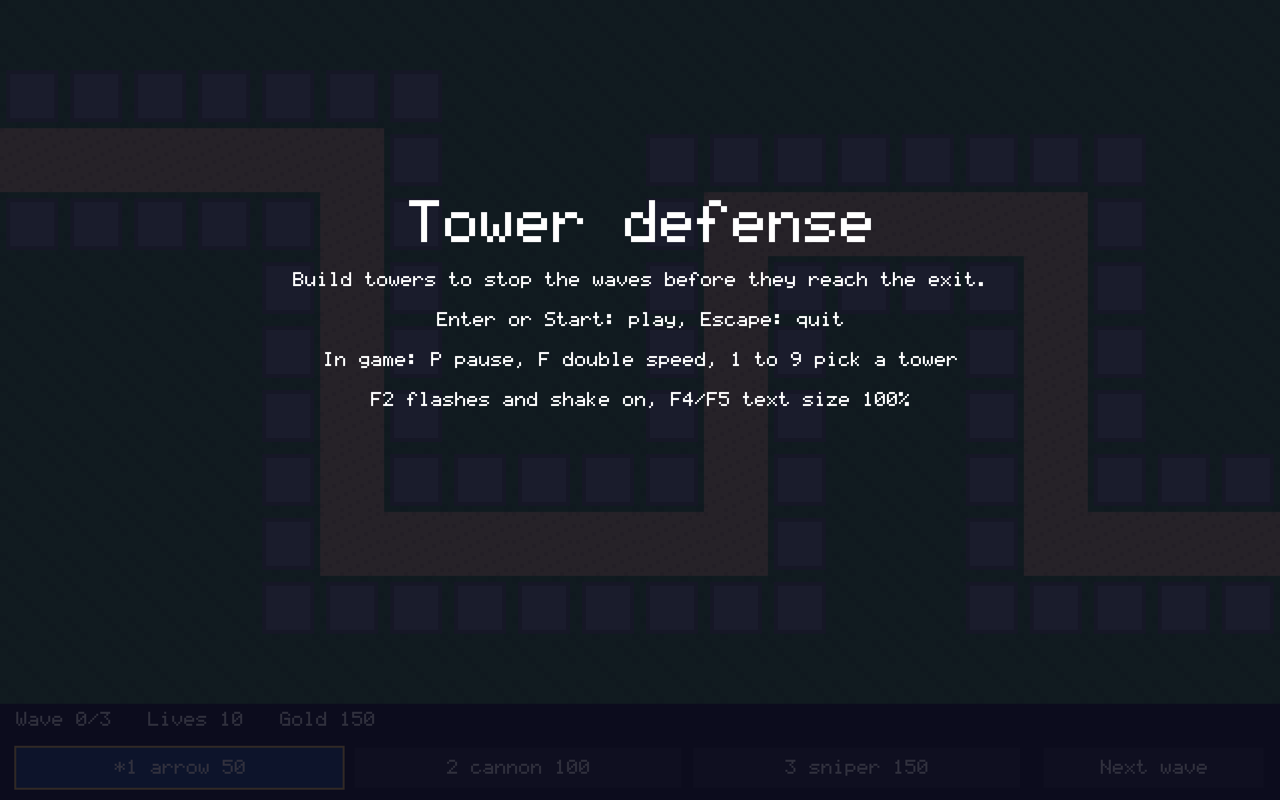
The screenshots of this page come from
tower_defense --frames 30 --screenshot title.png, then --demo --frames 560 and
--demo --frames 1260. Without a display the game exits with 77; without an audio output
it plays muted.
The game
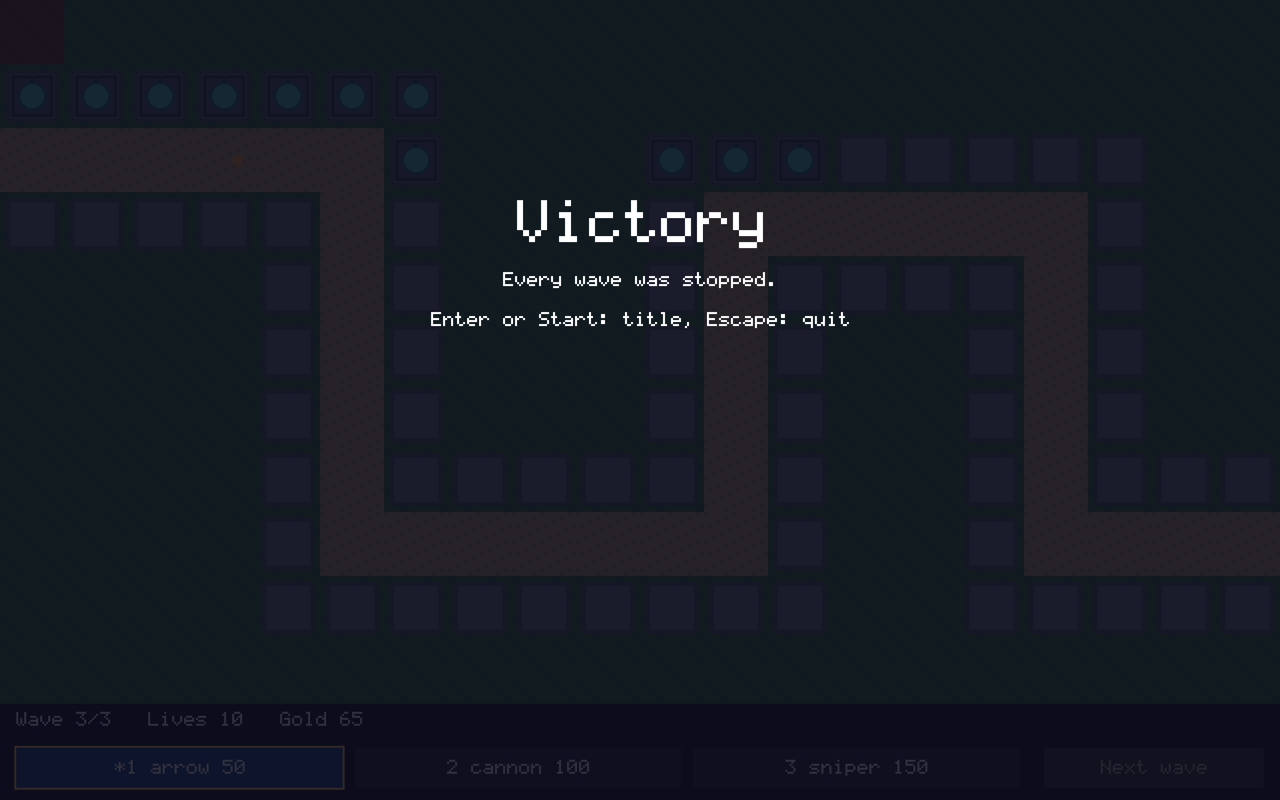
The enemies come in waves along a road, from the left edge of the map to its exit, and each one that gets there costs one of the 10 lives. Towers, bought with gold on the grey building pads, shoot them; each kill gives gold. Stopping the last of the three waves wins the game, losing the last life loses it; from either end, Enter goes back to the title with a new game.
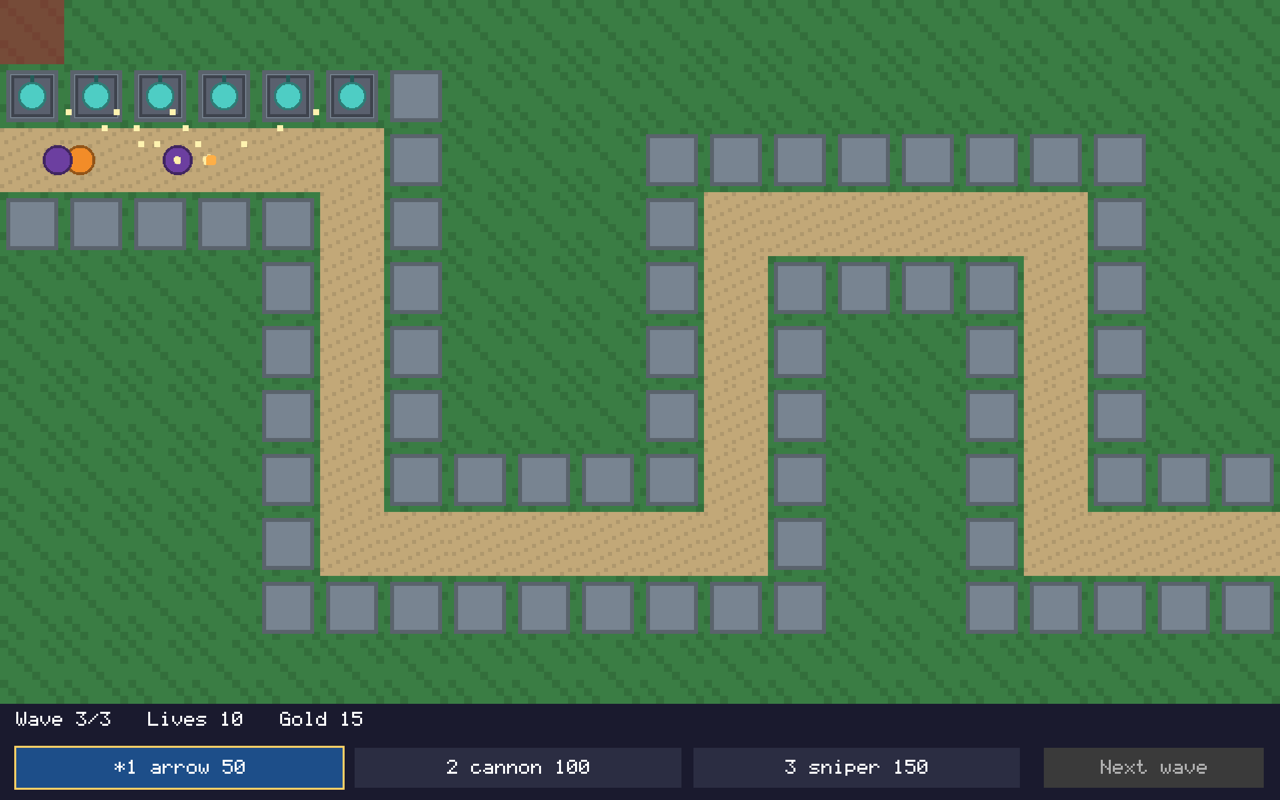
The bar under the map shows the wave, the lives and the gold, a shop button per tower and "Next wave", which calls the next wave at once once every enemy of the current one has entered. The cell where a tower would go is light blue when it can be built there and dark red otherwise; a refused tower says why in the bar.
| Key | Tower | Cost | Range | Shot |
|---|---|---|---|---|
| 1 | arrow | 50 gold | 160 px | 1 damage every 0.5 s |
| 2 | cannon | 100 gold | 128 px | 5 damage every 1.5 s |
| 3 | sniper | 150 gold | 320 px | 8 damage every 2 s |
A runner (orange) has 3 health points, runs twice as fast as a brute (purple, 12 points), and gives 10 gold, a brute 25. The game starts with 150 gold.
Controls
The whole game is played with any of the mouse, the keyboard or a gamepad.
| Mouse | Keyboard | Gamepad | |
|---|---|---|---|
| Play, from the title | Enter, Space | Start, South (A) | |
| Move between the buttons | point | Tab, Shift+Tab, arrows | D-pad, left stick, shoulders |
| Use a button | click | Enter, Space | South (A) |
| Pick a tower | its shop button | its shop button, or 1 to 9 | its shop button |
| Choose the cell | point at it | arrows, once a tower is picked | D-pad, once a tower is picked |
| Build | click on the map | Enter, Space | South (A) |
| Back to the buttons | Escape | East (B) | |
| Pause, resume | P, or Escape with nothing to cancel | Start, or East (B) to resume | |
| Double speed, on or off | F | North (Y) | |
| Quit | Escape on the title or an end screen, Q when paused | East (B), Back when paused | |
| Flashes and shake off or on | F2 | ||
| Text smaller, larger | F4, F5 | ||
| Frame metrics | F12 |
What the engine does in it
| Engine feature | Module | In the tower defense |
|---|---|---|
Fixed time step (core::MainLoop) |
core | 60 game ticks a second whatever the frame rate; double speed plays two per step. |
Data files (core::Config) and asset paths (core::asset_path()) |
core | types.json holds the towers and the enemies, waves.json the waves; a wrong value stops the game at the start with its path, such as types.json: towers.2.range: must be a number above 0. |
Tiled maps (render::TileMap, render::TileMapView) |
render | The map draws its ground; its path layer is the road, its buildable layer the pads and its exit point where the road leads. |
Grid pathfinding (ecs::NavGrid, ecs::NavPath) |
ecs | The road is found once per entrance, from the cells of the path layer to the exit. |
Path following (ecs::PathFollower, ecs::follow_paths()) |
ecs | The enemies walk the road at their speed and are told when they reach the exit. |
Waves (ecs::WaveSchedule) |
ecs | The waves of waves.json, their delays and spacing, and "Next wave" jumping to the next one. |
Timers (ecs::Timer, ecs::fire_timers()) |
ecs | Each tower is ready again after its cooldown. |
Targets in range (ecs::CollisionGrid, ecs::find_targets()) |
ecs | Each tower shoots the enemy furthest along the road within its range (TargetOrder::MostAdvanced). |
Health (ecs::Health) |
ecs | Shots take health points; a depleted enemy is killed and gives its gold. |
Mouse, keyboard and gamepad (platform::Mouse, platform::Keyboard, platform::Gamepad) |
platform | The same game with any of them, the mouse in logical pixels (opengl::Renderer::to_logical()). |
Settings file (platform::read_settings(), platform::settings_dir()) |
platform | The text size, the flashes and shake, and the volumes, kept between games. |
Menus and focus (ui::Menu, ui::NavigationInput) |
ui | The shop and "Next wave", focused with Tab or the D-pad, the focused button outlined. |
Bitmap font (render::BitmapFont) |
render | The bar, and the screens' texts wrapped to the window. |
Particles (render::ParticleEmitter) |
render | Sparks where a shot hits, a burst for each kill. |
Flash and shake (render::ScreenEffects, render::Camera::set_shake()) |
render | A lost life flashes the screen red and shakes the map, the bar staying still. |
Sounds and music (audio::AudioDevice, audio::Volumes) |
audio | A sound for each shot, kill and lost life, over a music loop. |
Frame metrics (render::FrameMetrics, render::MetricsOverlay) |
render | Frames per second, frame times, entities and draw calls with F12. |
Install and package (find_package(Aegis2D COMPONENTS ...)) |
build | The sample builds alone against the installed engine. |
Accessibility
The game follows the engine's accessibility options:
- Text size: F4 and F5 make every text smaller or larger, from 100% to 200%
(
render::TextSize); the bar's buttons and status hold their texts at every size. - Colors: the only color cue, the cell where a tower would go, is light blue or dark
red, two colors that differ by at least 20 ΔE and 10 L* for every color vision
(
render::simulate()); the picked tower is marked with a star, not only by color. - Flashes and shake: F2 turns them off, for players with photosensitive epilepsy or motion sickness; even on, flashes never start more than three times a second. The particles are small and short, so they show either way.
- Input: every action works with the mouse, the keyboard or a gamepad alone.
Change it without recompiling
Balancing needs no recompilation: change a value in assets/types.json (next to the
executable once built) and start the game again. A new tower is one more entry of the
towers list, with its name, cost, range, cooldown, damage and sprite (an image
of the assets folder); it gets the next key, up to 9 towers. Enemies have a name (used by
waves.json), speed, health, reward and sprite. The waves list their spawns: the
enemy type, where it enters, how many and how far apart.
Code and tests
| File | Holds |
|---|---|
tower_defense.hpp |
The rules: Level from the map, Types from the data file, Game. |
hud.hpp |
The bar under the map and the player's input. |
flow.hpp |
The title, pause and end screens, the speed and the options. |
effects.hpp |
The particles, the flash and the shake. |
main.cpp |
The window, the sprites, the sounds and the loop. |
Everything but main.cpp is a library apart from the window, which the engine's tests
(tests/samples/) play: whole games with the mouse only and with the keyboard only, games
from the title screen to the victory or the defeat, the pause and the double speed, the
options, and the effects with their settings.